
API tokens
The API page holds your personal tokens for the Scanfully API. A token lets a script, an integration or an AI assistant read your sites and their monitoring, and, if you allow it, make changes and start scans. Open it from the account menu, or with API at the bottom of the main menu.
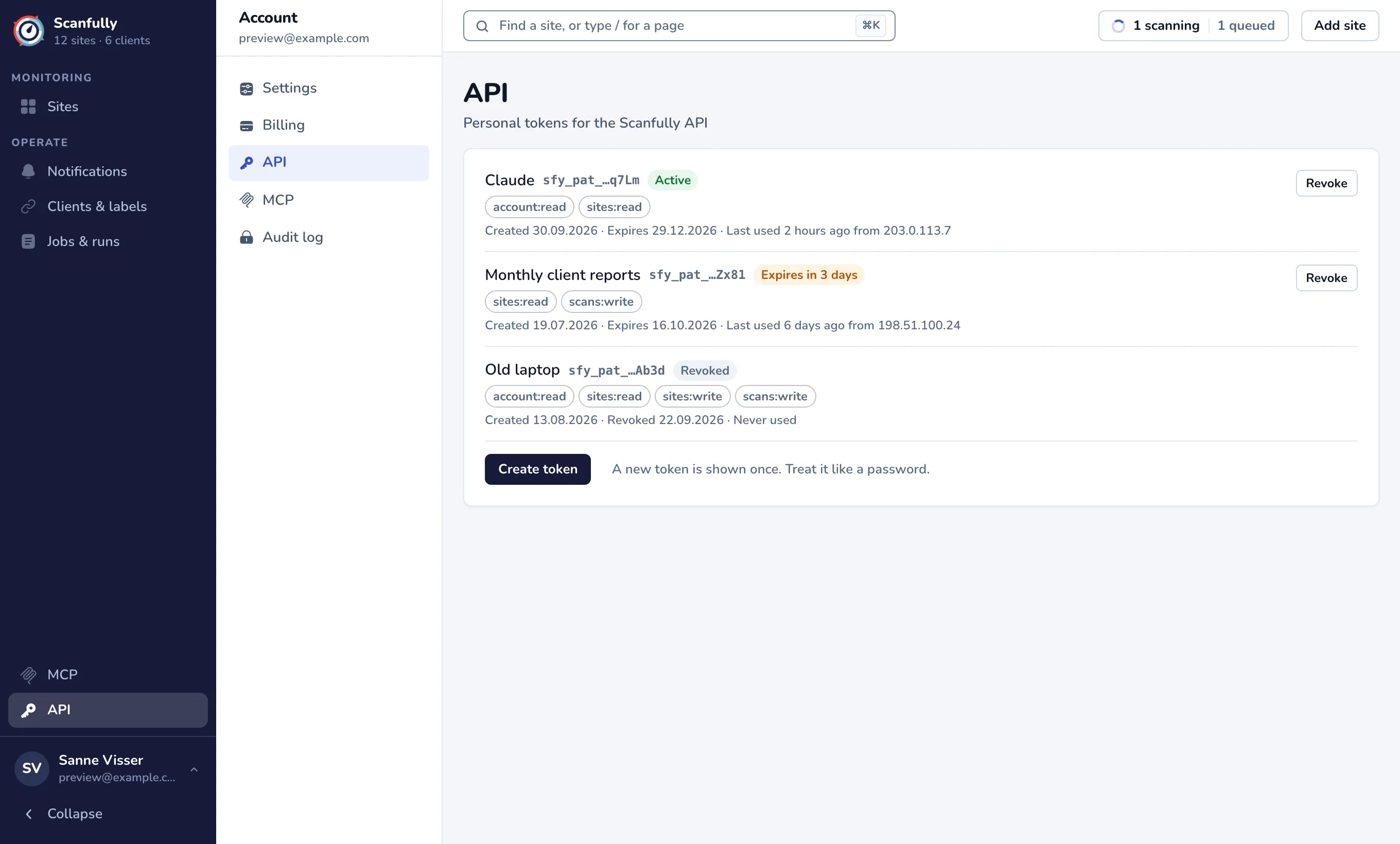
The token list
Section titled “The token list”Each token shows:
- Its name and a hint: the start of the token and its last four characters, so you can tell tokens apart. The full token is never shown again after you create it.
- A status: Active, Expires in … days (when it expires within a week), Expires today, Expired or Revoked.
- Its permissions, such as
sites:read. - When it was created, when it expires (or was revoked), and when it was last used and from which IP address, or Never used.
Create a token
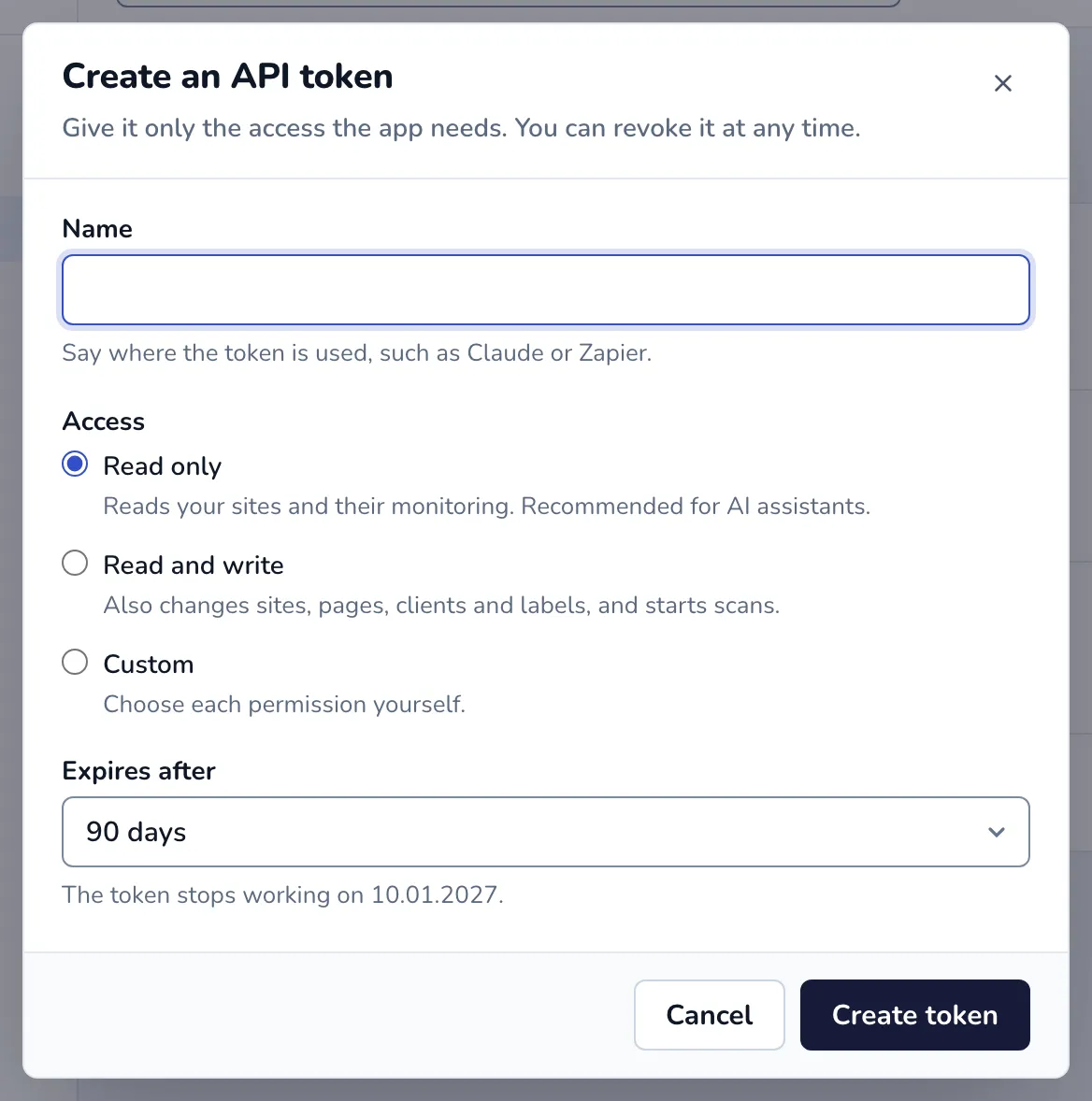
Section titled “Create a token”- Click Create token.
- Enter a Name that says where the token is used, such as Claude or Zapier.
- Choose the Access:
- Read only: reads your sites and their monitoring. Recommended for AI assistants.
- Read and write: also changes sites, pages, clients and labels, and starts scans.
- Custom: choose each permission yourself (see below).
- Choose when it Expires after: 30, 90 or 180 days, or 1 year. The dialog shows the date it stops working.
- Click Create token.
- Copy the token with Copy and store it somewhere safe, such as a password manager. This is the only time you see it. Click Done when you have it.
Give a token only the access the app needs. Treat it like a password: anyone who has it can use your account within its permissions. Creating a token sends a security email to your account address.
Permissions
Section titled “Permissions”| Permission | What it allows |
|---|---|
account:read |
Read the account: email, plan and trial end |
sites:read |
Read sites, pages, clients, labels and all monitoring data |
sites:write |
Change sites and pages, and manage clients and labels |
scans:write |
Start broken link, broken media and DNS scans |
Read only gives account:read and sites:read. Read and write gives all four.
Limits
Section titled “Limits”You can have 25 working tokens at a time; revoke one to create another. Every token expires; create a new one before it does, and update the app that uses it.
Use a token
Section titled “Use a token”Send the token as a bearer token with each request, in the header Authorization: Bearer followed by the token. The public API is at https://api.scanfully.com/public/v1, and its reference documentation, with every operation and the permission it needs, is at api.scanfully.com/public/v1/docs.
curl -H "Authorization: Bearer $SCANFULLY_TOKEN" https://api.scanfully.com/public/v1/sitesEvery change made with a token is recorded in the audit log, including changes that were refused.
Revoke a token
Section titled “Revoke a token”- Click Revoke next to the token.
- Confirm with Revoke token.
Apps and assistants that use the token stop working at once. This cannot be undone. Revoke a token as soon as you no longer use it, or if you think someone else has it.