
How to use custom request headers
Scanfully can send custom HTTP headers with every request it makes to a site. You set them per site, for example a header with a secret token that your firewall checks.
This is useful for sites behind a WAF, a reverse proxy or another protected setup that only accepts requests with a specific header. Instead of relying on a fixed IP address or only matching the user agent, you configure your site or firewall to allow requests that carry the header and value you define in Scanfully.
Add a request header
Section titled “Add a request header”- Open the site and choose Settings in the site menu.
- Scroll to the Request headers panel.
- Click Add a header.
- Enter the header name in the first field, for example
X-Custom-Header, and its value in the second. - Click Save changes at the bottom of the screen.
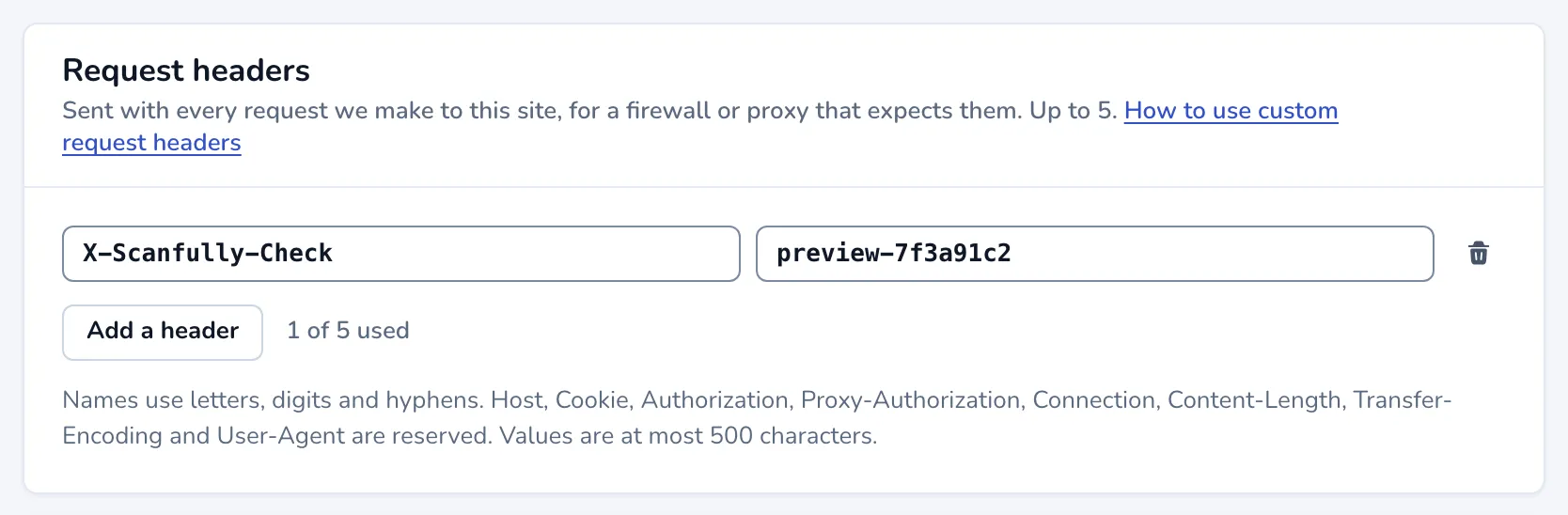
From then on, Scanfully includes the headers in its requests to that site. To remove a header, click the bin button next to it and save.
Rules for headers
Section titled “Rules for headers”- A site can have up to 5 headers. The panel shows how many you use, such as “1 of 5 used”.
- Header names use letters, digits and hyphens only.
- These names are reserved and can’t be used:
Host,Cookie,Authorization,Proxy-Authorization,Connection,Content-Length,Transfer-EncodingandUser-Agent. - Values can’t be empty and are at most 500 characters.
If a header breaks a rule, the field says what is wrong when you save.
Example
Section titled “Example”A common setup is a token header. You add X-Scanfully-Token with a long random value in Scanfully, then add a rule to your WAF that allows requests carrying that header with that exact value. Scanfully’s checks get through, while other traffic is still filtered as before.
What problem does this solve?
Section titled “What problem does this solve?”It helps Scanfully reach sites that are protected by a WAF or another security layer that requires a custom header.
Is this the same as IP whitelisting?
Section titled “Is this the same as IP whitelisting?”No. Instead of allowing traffic based on its source IP address, you allow traffic based on a header and value you define. Scanfully has no fixed IP addresses, so a header is the way to let its checks through. See Scanfully IP addresses.
Can I use any header name?
Section titled “Can I use any header name?”Any name that follows the rules above. Scanfully sends the header you configure; your own infrastructure decides how to check it.