
Daily digest
The daily digest is one email per address per day with an overview of the sites that address hears about: outages, response times, certificates, vulnerabilities, content, DNS and email health, what is still open, and the alerts already sent.
Who gets it
Section titled “Who gets it”The digest goes to every address on an active notification with an email channel, once, however many notifications that address is on. Each address only reads about the sites and events of the notifications that email it.
In the notification editor, an email channel whose addresses get the digest says so: “These addresses also get the daily digest at 08:00”, with a link to Digest settings.
Settings
Section titled “Settings”The digest is set for the whole account in Account settings, under Notifications, Daily digest:
- The switch turns the digest on or off. Turning it on first asks you to confirm, and names the addresses that will start receiving it.
- Alerts still go out right away: the digest adds a daily overview, and every alert is still sent at once.
- Warnings and info wait for the digest: warnings and informational alerts reach email only in the digest. Downtime and urgent alerts never wait, chat channels still get everything right away, and notifications set to Never hold this one back are not held.
- Sends at: the time, on the hour or half hour, in your account’s timezone.
- Also on quiet days: days with nothing to report are skipped, and each address still gets one at least once a week. Turn this on for a digest every day.
The Send non-urgent alerts in the daily digest switch on the Notifications screen is the same choice as Warnings and info wait for the digest.
Preview the digest
Section titled “Preview the digest”Preview (on the Notifications screen and in Account settings) shows what today’s digest says so far, for the address you choose, as an email or as plain text. Nothing is sent.
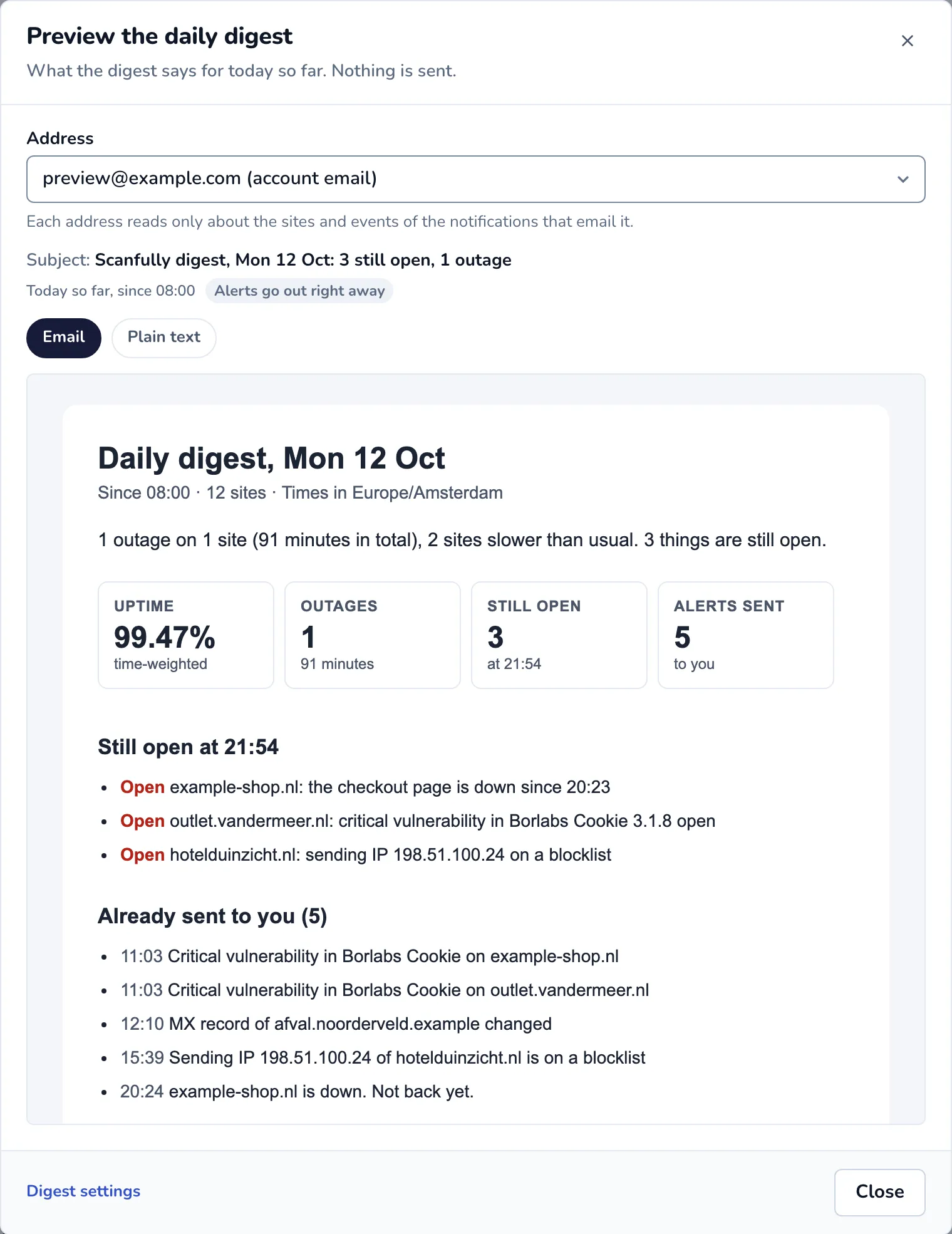
Open a digest that was sent
Section titled “Open a digest that was sent”In the notification log, each daily digest lists its addresses. Click View next to an address to open the digest that address received. A digest email that was too long to send in full links to the same page with Open the full digest.
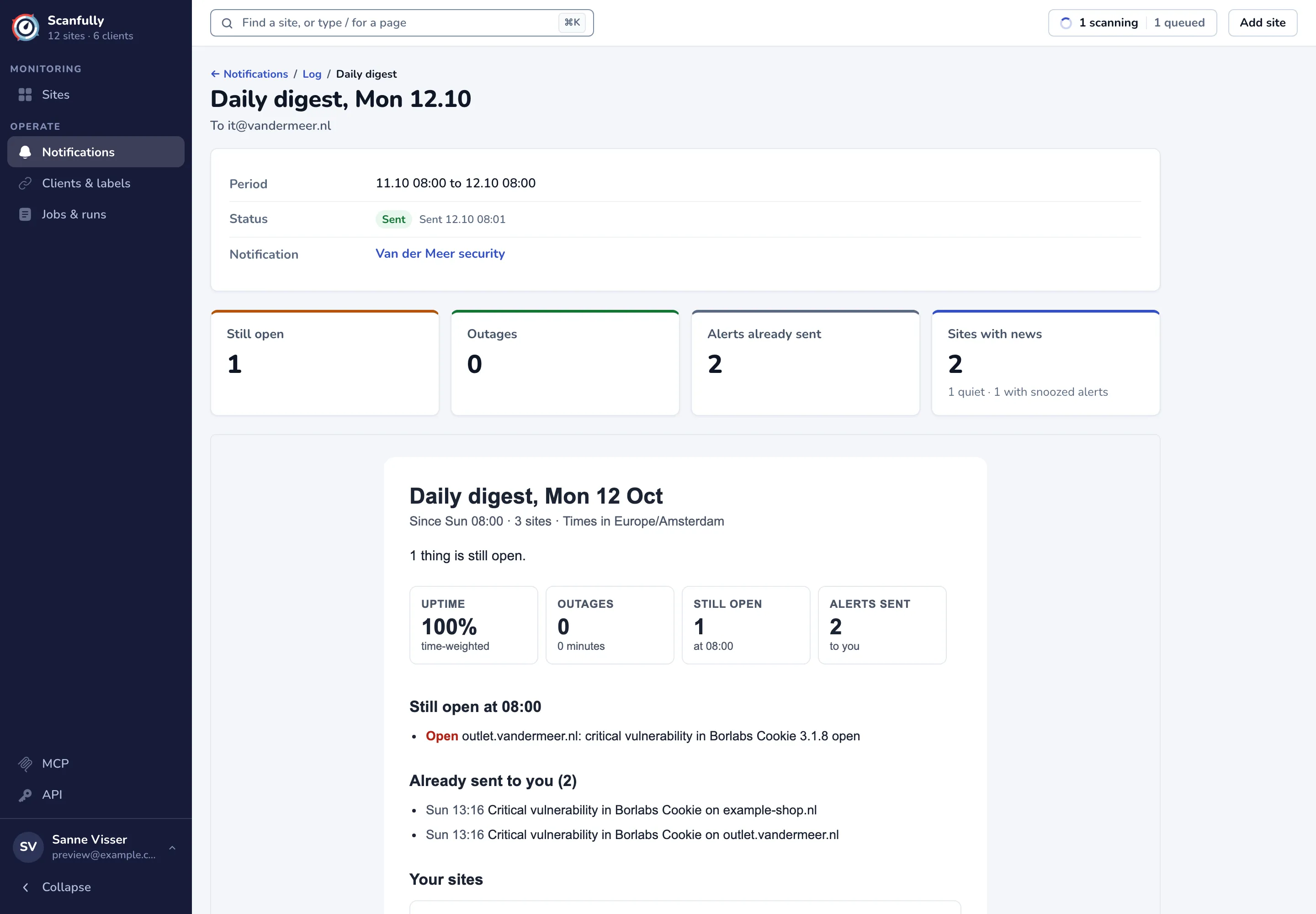
The page shows:
- Period: the day the digest covers, from one digest time to the next. On a day the clocks change, it is 23 or 25 hours long.
- Status: Sent with the time it went out, or why it did not go out.
- Notification: the notifications that email this address.
- The headline figures: Still open, Outages, Alerts already sent (or Waited for this digest when warnings waited for it), and Sites with news.
- The digest itself, in full.
Full digests are kept for 14 days. After that the page says the digest has expired; the log still shows when it went out and to whom.
A test digest, sent with Send me one now in Account settings, goes out as an email but keeps no page.