
Set up email notifications
Email is the default channel: a new notification starts with one email channel that sends to your account email.
Add an email channel
Section titled “Add an email channel”- Go to Notifications and open the notification, or click New notification.
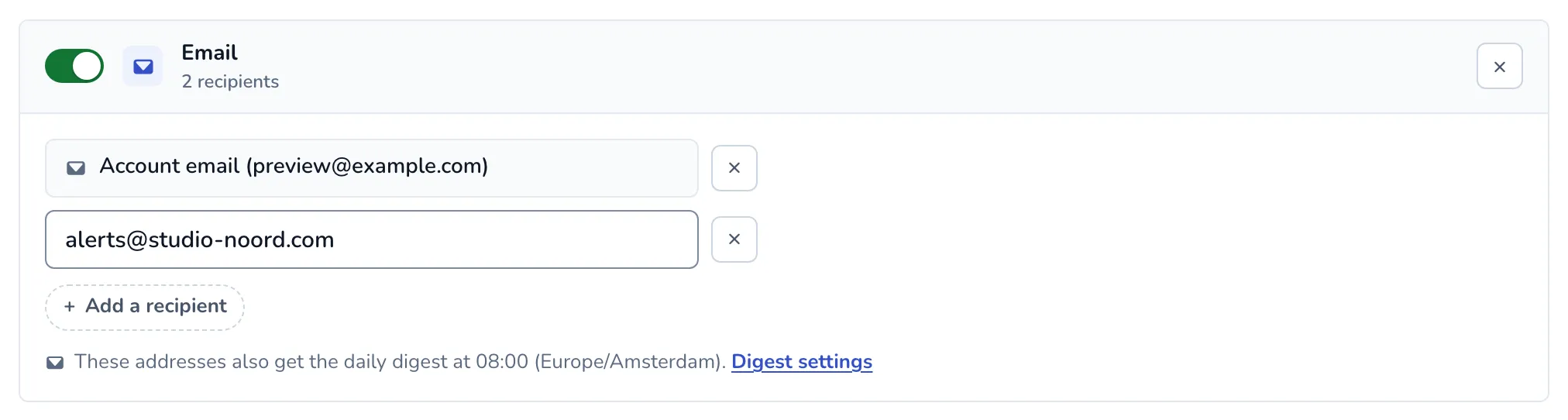
- Under 2. Where it goes, use the email card that is already there, or click Email under Add another.
- The card sends to Account email with your sign-in address. Remove it with the cross if this channel should not go to you, or bring it back with Add the account email.
- Click Add a recipient for each other address, and type it in.
- Click Save notification.
The account email always follows the address you sign in with, so it stays right when you change it.
Several addresses
Section titled “Several addresses”One email channel sends to up to 20 addresses, the account email included. Every address gets its own email; addresses are never shown to each other.
To send different alerts to different people, create a notification per group of alerts, each with its own addresses. For example, send downtime alerts to your on-call address in one notification, and certificate and content alerts to a shared inbox in another. You can also add two email channels to one notification, such as a client inbox and yours.
The daily digest
Section titled “The daily digest”Addresses on an active notification with email also get the daily digest when it is on. The card then says “These addresses also get the daily digest”, with a link to the digest settings.
What the emails contain
Section titled “What the emails contain”Each alert email names the notification that sent it, with a link to change or stop it, and links to snooze the site for a while (see Snooze alerts). Emails to an address other than your account email also have an Unsubscribe link. Once an address unsubscribes, Scanfully stops sending it alerts and digests from your account.
When an email does not arrive
Section titled “When an email does not arrive”When a message to an address fails for good, the channel shows Failing with the error, and your account email gets a notice (at most once a day per failing channel). The notification log shows every address with how its message went.