
Certificate
Scanfully checks the TLS (SSL) certificate your site serves every six hours. The Certificate screen shows when it expires, runs a set of checks on it, and lists its details and chain.
To open it, choose a site and click Certificate under Monitoring in the site menu. The Certificate panel on the Uptime screen links here too, with View certificate.
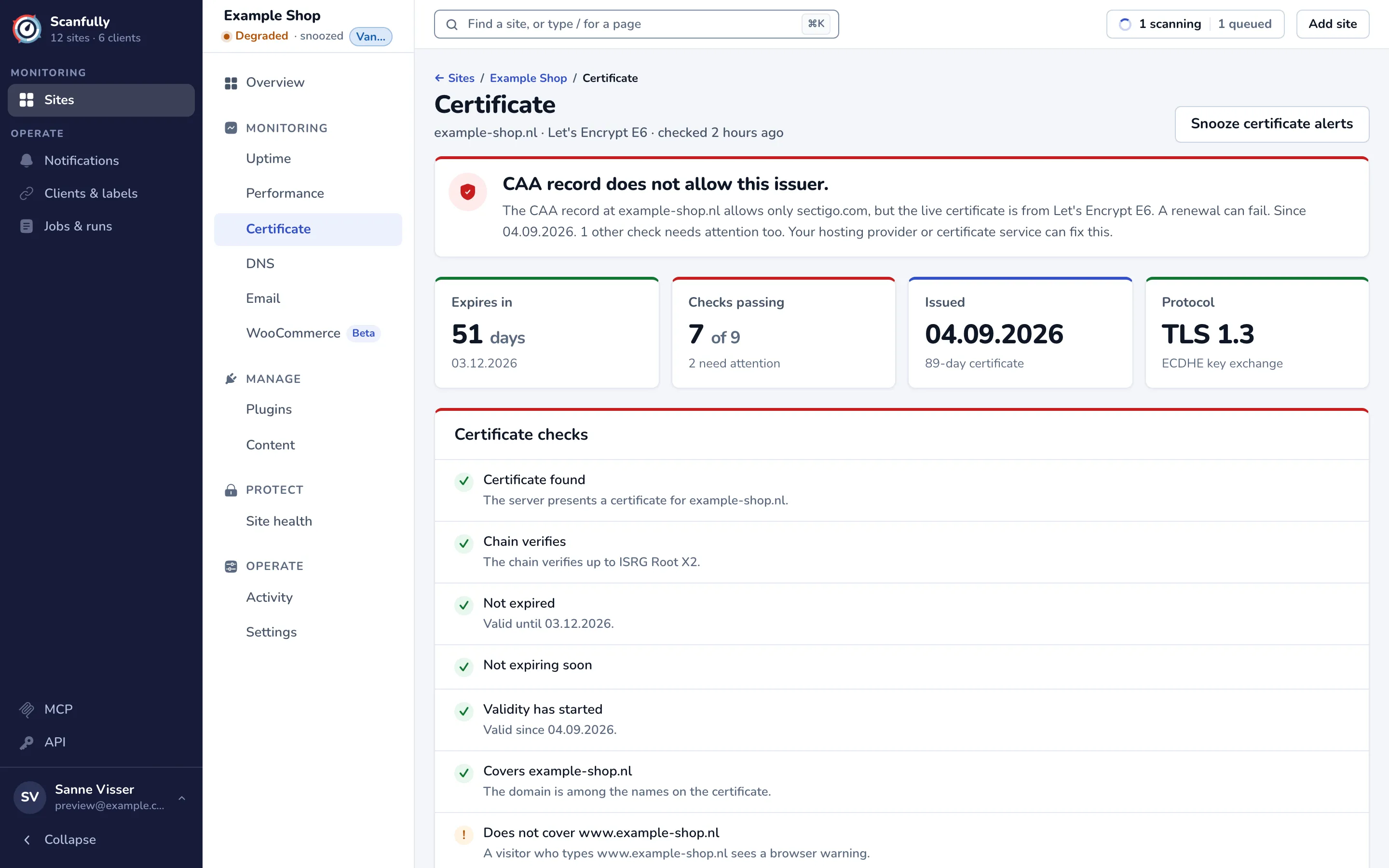
The subtitle shows the domain, the issuer and when the certificate was last checked.
The headline
Section titled “The headline”The panel at the top names the most important problem, with what it means and who can fix it: usually your hosting provider or certificate service. When every check passes, it says how long the certificate is still valid and who issued it.
The cards
Section titled “The cards”- Expires in: the days left until the certificate expires, with the date. It turns orange from seven days before. Once it has expired, the card says Expired and how long ago.
- Checks passing: how many of the checks below pass.
- Issued: the date the certificate became valid, and how many days it is valid for in total.
- Protocol: the TLS version of the connection and its key exchange.
Certificate checks
Section titled “Certificate checks”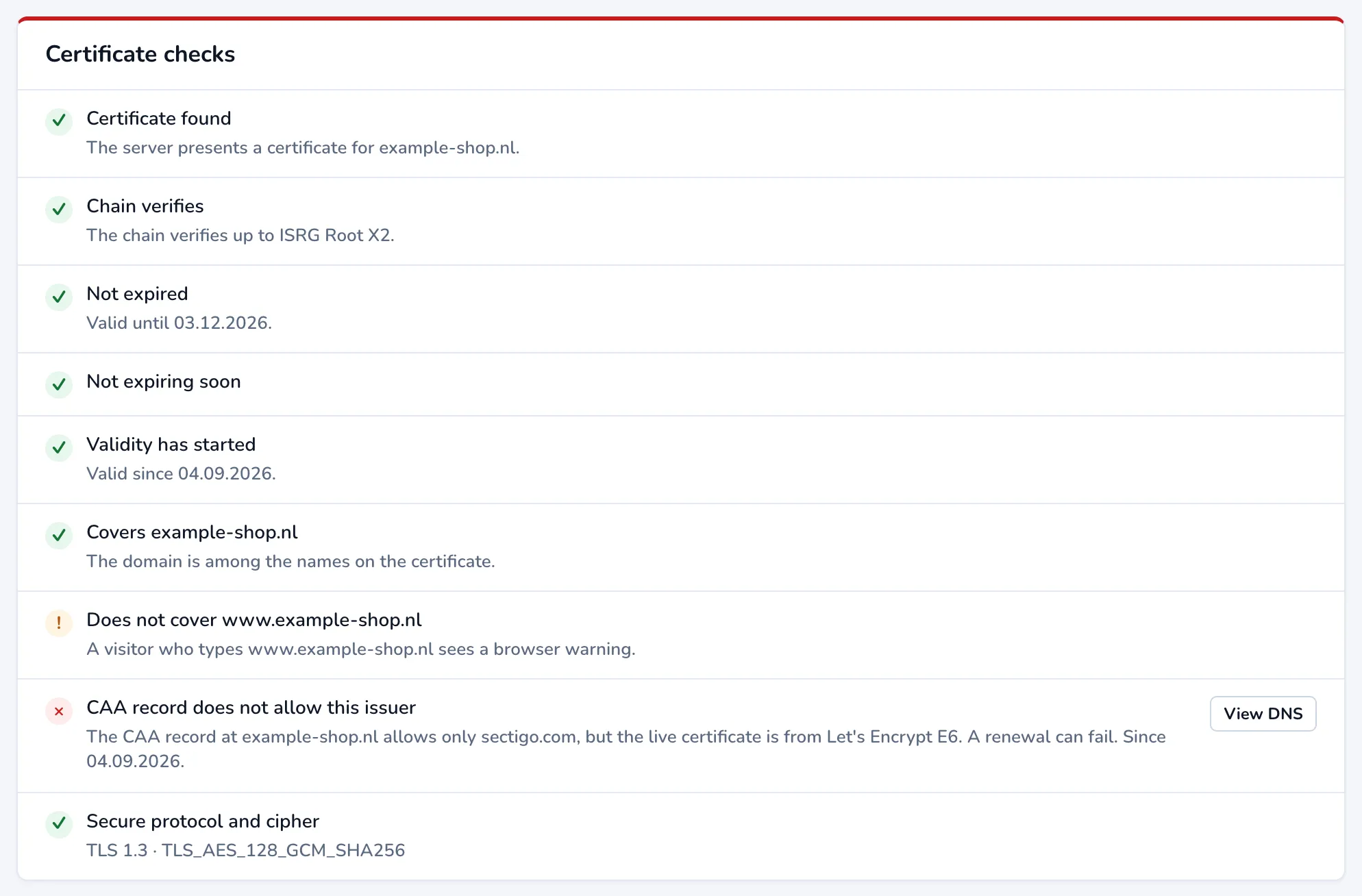
Each check passes, warns or fails:
| Check | What fails it |
|---|---|
| Certificate found | The server presents no certificate. The other checks then cannot run. |
| Chain verifies | Browsers cannot trace the certificate back to a trusted root. |
| Not expired | The certificate has expired, so browsers show a security warning. |
| Not expiring soon | It expires within seven days. This is a warning: renew it before the date. |
| Validity has started | The certificate is not valid yet, so browsers reject it until its start date. |
| Covers your domain | The domain is not among the names on the certificate. |
| Covers the www form too | The certificate covers example.com but not www.example.com, or the other way round. This is a warning: a visitor who types the other form sees a browser warning. |
| CAA allows this issuer | The CAA record of the domain does not allow the authority that issued the live certificate, so a renewal can fail. View DNS opens the DNS screen. This check only appears once Scanfully has checked the DNS of the site. |
| Secure protocol and cipher | The server uses a weak TLS version or cipher suite. |
Fix a CAA mismatch
Section titled “Fix a CAA mismatch”A CAA record lists which certificate authorities may issue certificates for your domain. When it names one authority but your certificate comes from another (for example the record allows only sectigo.com and your host uses Let’s Encrypt), the next renewal can fail. Either add the issuer of your certificate to the CAA record, or remove the CAA record if you don’t need it. Change it where your DNS is managed, then check the result on the DNS screen.
Details and chain
Section titled “Details and chain”Details lists what the certificate says about itself, as served at your site: Issuer, Subject, Valid for (every name it covers), Signature algorithm, Valid from, Valid until, Age, TLS version, Cipher suite and Key exchange.
Certificate chain lists every certificate the server sends, from your own up to the intermediate ones, with who issued each and when it is valid. An expired certificate in the chain is marked red.
Certificate alerts
Section titled “Certificate alerts”Snooze certificate alerts at the top right pauses certificate alerts for this site for a while. While the certificate is about to expire, the snooze starts on the expiry warning. Who gets certificate alerts is set in Notifications.