
Jobs & runs
Scanfully scans every site on a schedule: performance, broken links, broken media, site health and more. Jobs & runs shows the latest scan of each type on each of your sites: which ones run now, which wait in the queue, and how the finished ones went. The screen updates live, so you can watch a scan progress without reloading.
Open Jobs & runs under Operate in the main menu.
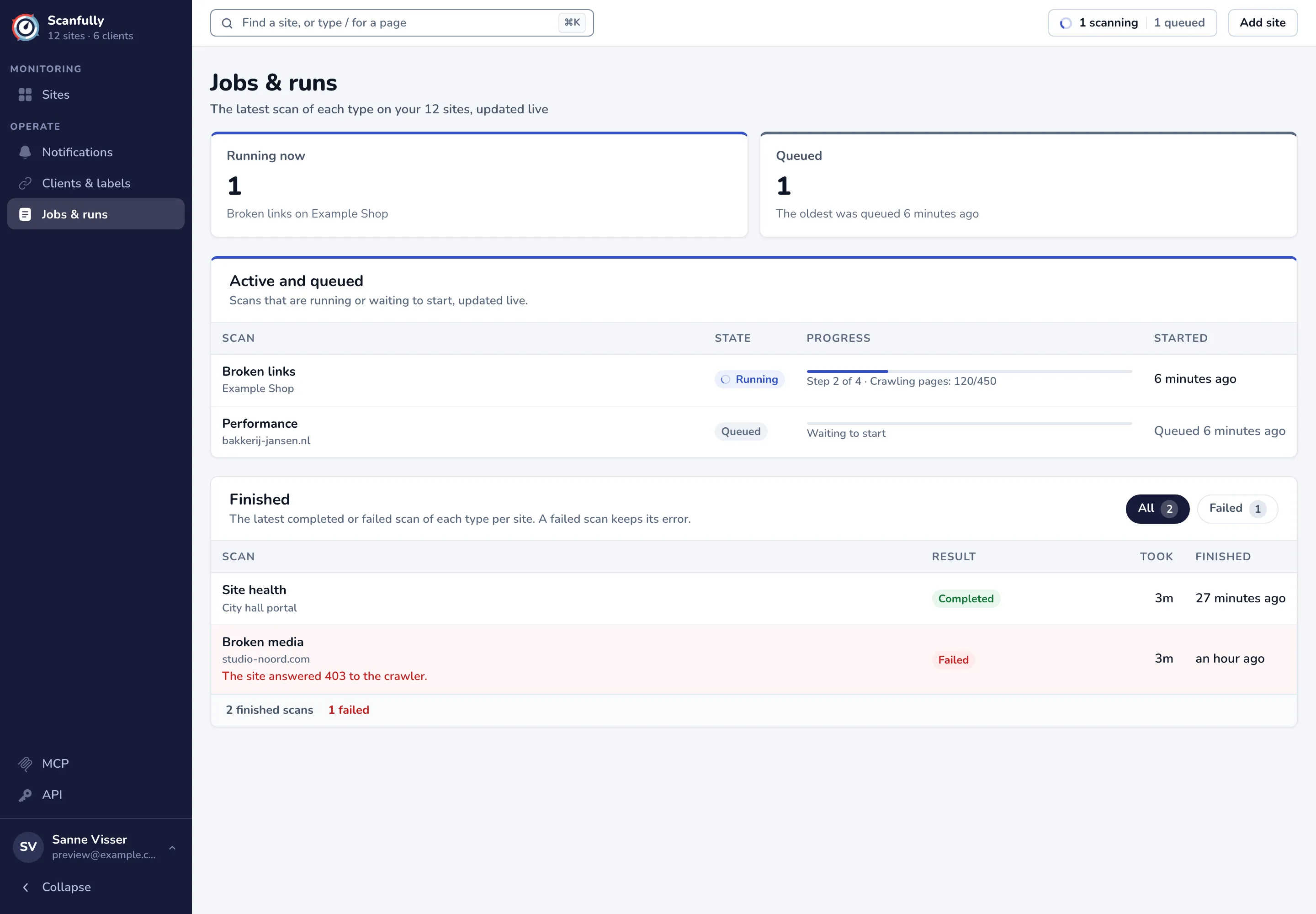
Running now and Queued
Section titled “Running now and Queued”The two figures at the top count the scans that run now and the scans that wait to start. Under Running now you see which scan runs on which site, or on how many sites. Under Queued you see when the oldest waiting scan was queued.
Active and queued
Section titled “Active and queued”This table lists the scans that are running, then the ones waiting to start, oldest first.
| Column | What it shows |
|---|---|
| Scan | The type of scan, such as Broken links or Performance, and the site. Click the type to open the site’s screen with its results. |
| State | Running or Queued. |
| Progress | For a running scan, a bar with the step it is on (for example Step 2 of 4) and what it works through, such as Crawling pages: 120/450. A queued scan shows Waiting to start. |
| Started | When a running scan started, or when a queued scan was queued. |
When nothing runs or waits, the table says Nothing is running or queued.
Finished
Section titled “Finished”This table lists the latest completed or failed scan of each type per site.
| Column | What it shows |
|---|---|
| Scan | The type of scan and the site. A failed scan shows its error below, for example that the site refused the crawler. |
| Result | Completed or Failed. |
| Took | How long the scan ran. |
| Finished | When it finished. Hover it for the exact date and time. |
Use All and Failed above the table to see every finished scan or only the failed ones, and Search by site or scan to find one. The footer counts the finished scans and how many failed.
A failed scan often means the site blocked Scanfully or did not answer. Check the error, and see Scanfully IP addresses if a firewall may be blocking the scans.
Scan progress in the top bar
Section titled “Scan progress in the top bar”The button in the top bar of every screen counts the scans that run now and wait, for example 1 scanning and 1 queued. Click it to open Scan progress: the latest scans with their progress, state and time, and the error of a failed one.
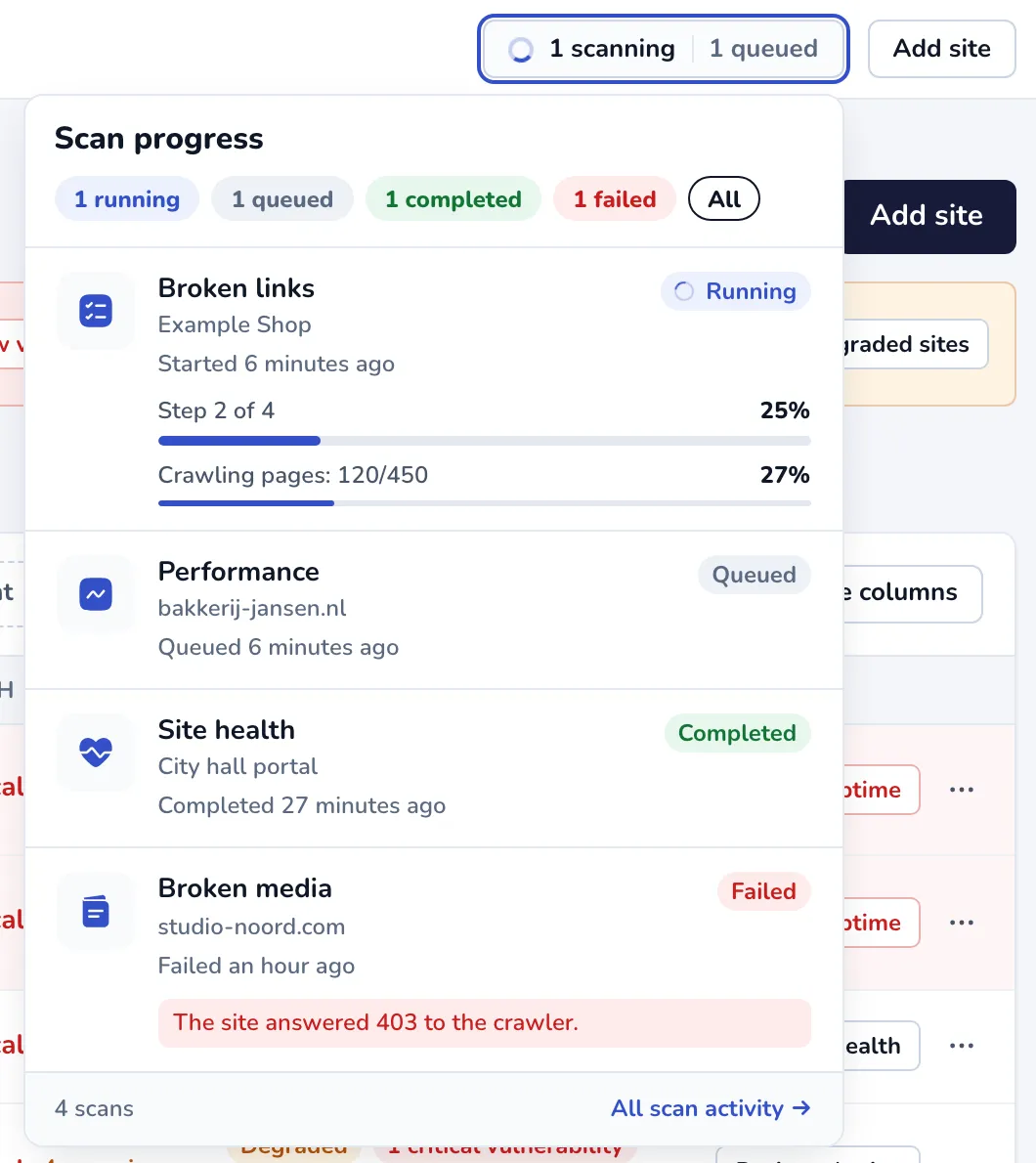
The pills at the top filter the menu by state. Click a scan to open the site’s screen with its results, or All scan activity to open Jobs & runs.
Scans after adding a site
Section titled “Scans after adding a site”When you add a site, Scanfully queues its first performance, broken links and broken media scans straight away. You can follow them here. See Add a site.