
DNS history
The DNS history is the change log of the DNS records of a site. A change appears here once Scanfully has confirmed it across resolvers, so a value that only one resolver returned for a moment does not show up.
To open it, click View history or Full history on the DNS screen.
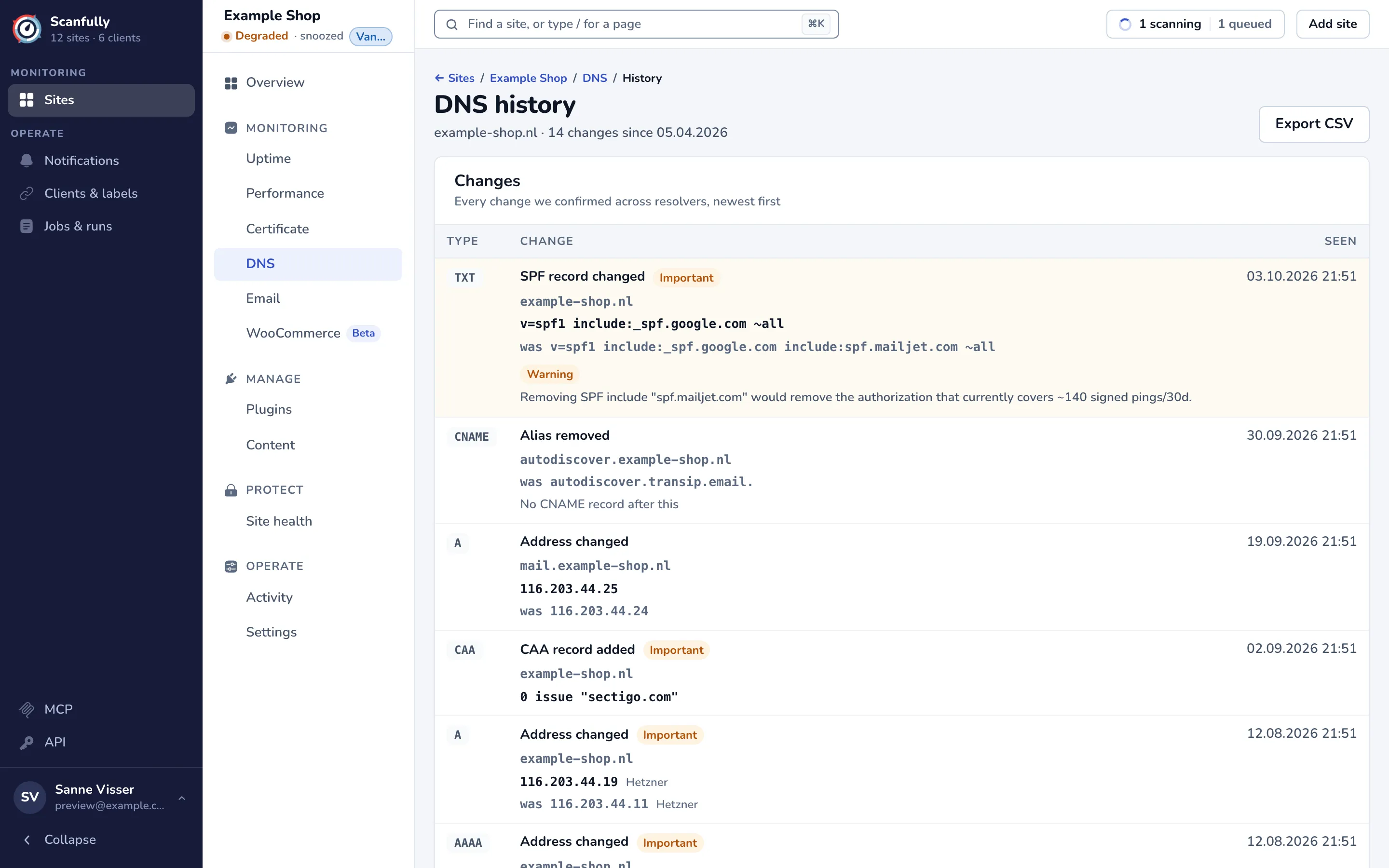
Read a change
Section titled “Read a change”Each row of Changes shows:
- Type: the record type, such as
A,TXTorCAA. - Change: what changed in words, for example SPF record changed, CAA record added or Alias removed, with the record name below it. An Important label marks a record that can break mail, the certificate or the site. A Parent zone label marks a record of the parent domain that affects your site.
- The new values, and the old ones marked was. When a record appeared or went away with its name, a line says so, for example No CNAME record after this.
- A warning or critical label when the change has consequences Scanfully can name, with an explanation. For example, removing an SPF include that still authorizes the mail your site sends. Rows with a warning are tinted orange, critical ones red.
- Seen: when the change was confirmed. Hover over it for the exact time and how long ago that was.
Check every important change you did not make yourself with whoever manages your DNS. If an email record changed, also look at the Email screen to see whether your mail still arrives and authenticates.
Page through and export
Section titled “Page through and export”The history shows 50 changes at a time. Use Show older changes and Show newer changes to page through it. The footer counts the changes, the important ones and the date of the oldest one shown.
Export CSV saves the changes shown as a CSV file, with the time (UTC), type, name, change, importance, scope, added and removed values, the lookup result before and after, and the severity and warnings. Once the history spans more than one page, the button says Export this page as CSV.