
Monitor settings
The monitor settings decide how the uptime monitor judges the pages of one site. Every field has a default; you only change what your site needs. Changes apply from the next check.
To open them, go to the site’s Uptime screen and click Monitor settings, or Edit settings in the Monitor panel.
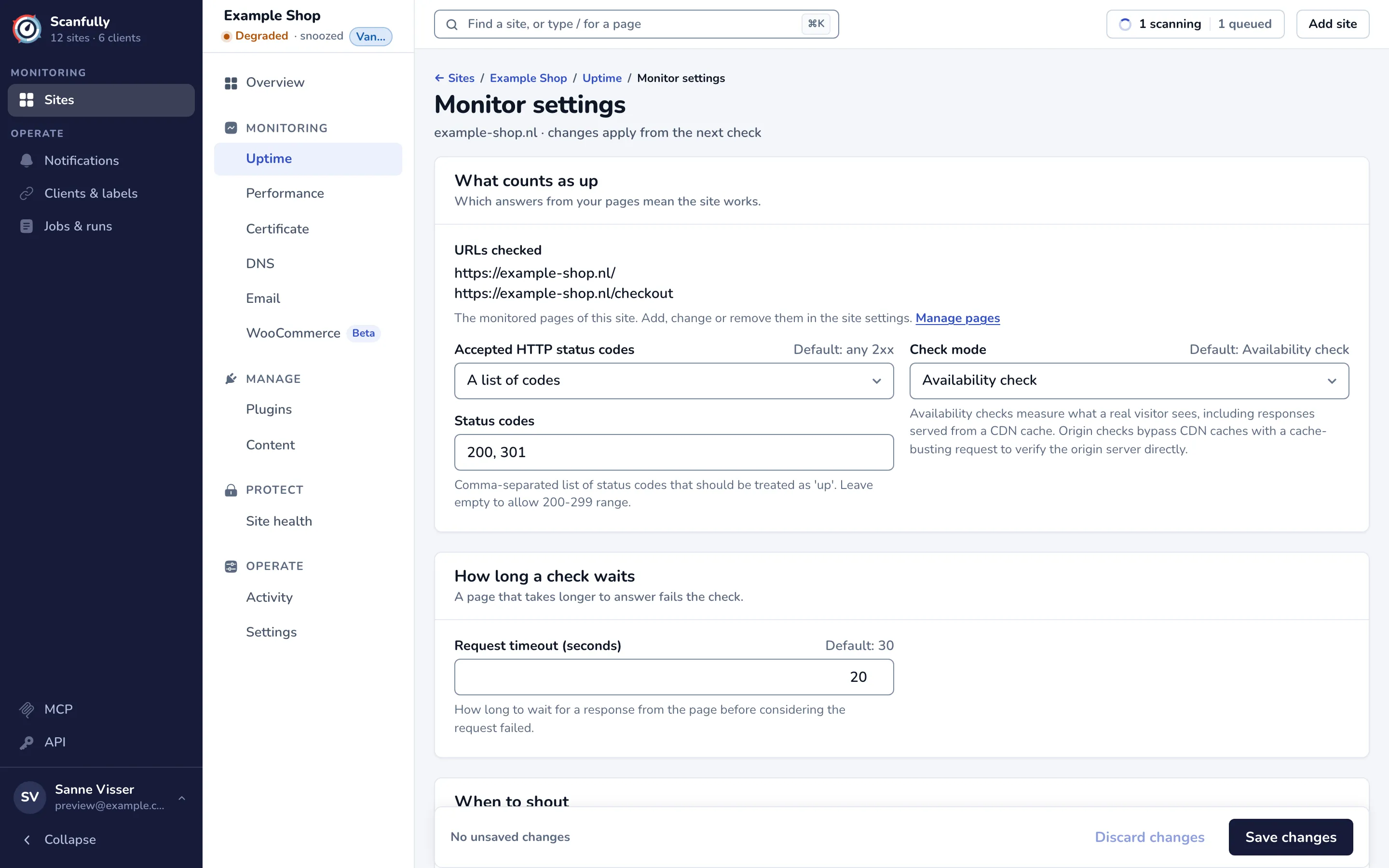
What counts as up
Section titled “What counts as up”URLs checked lists the monitored pages of the site. You manage those pages in the site settings: click Manage pages. See Site settings.
Accepted HTTP status codes
Section titled “Accepted HTTP status codes”Choose which answers mean a page works:
- Any 2xx response (the default): any status from 200 to 299.
- 200 only: only HTTP 200.
- A list of codes: the codes you type in Status codes, separated by commas, for example
200, 301. Codes must be between 100 and 599, without duplicates, and you can list up to 20.
A code in your own list counts as up whatever else the answer carries. Other answers, such as 404 or any 5xx status, count as a failed check. HTTP 401, 403, 406 and 429 count as a blocked monitor rather than a failure (see When the monitor is blocked), unless you put them in your list.
Check mode
Section titled “Check mode”- Availability check (the default) measures what a real visitor sees, including answers a CDN serves from its cache.
- Origin check sends a cache-busting request that bypasses CDN caches, so it checks the origin server directly.
Pick Origin check when your site sits behind a CDN and you want to know when the server itself stops answering.
How long a check waits
Section titled “How long a check waits”Request timeout (seconds) is how long the monitor waits for an answer before the check fails. The default is 30 seconds; you can set 1 to 120.
When to shout
Section titled “When to shout”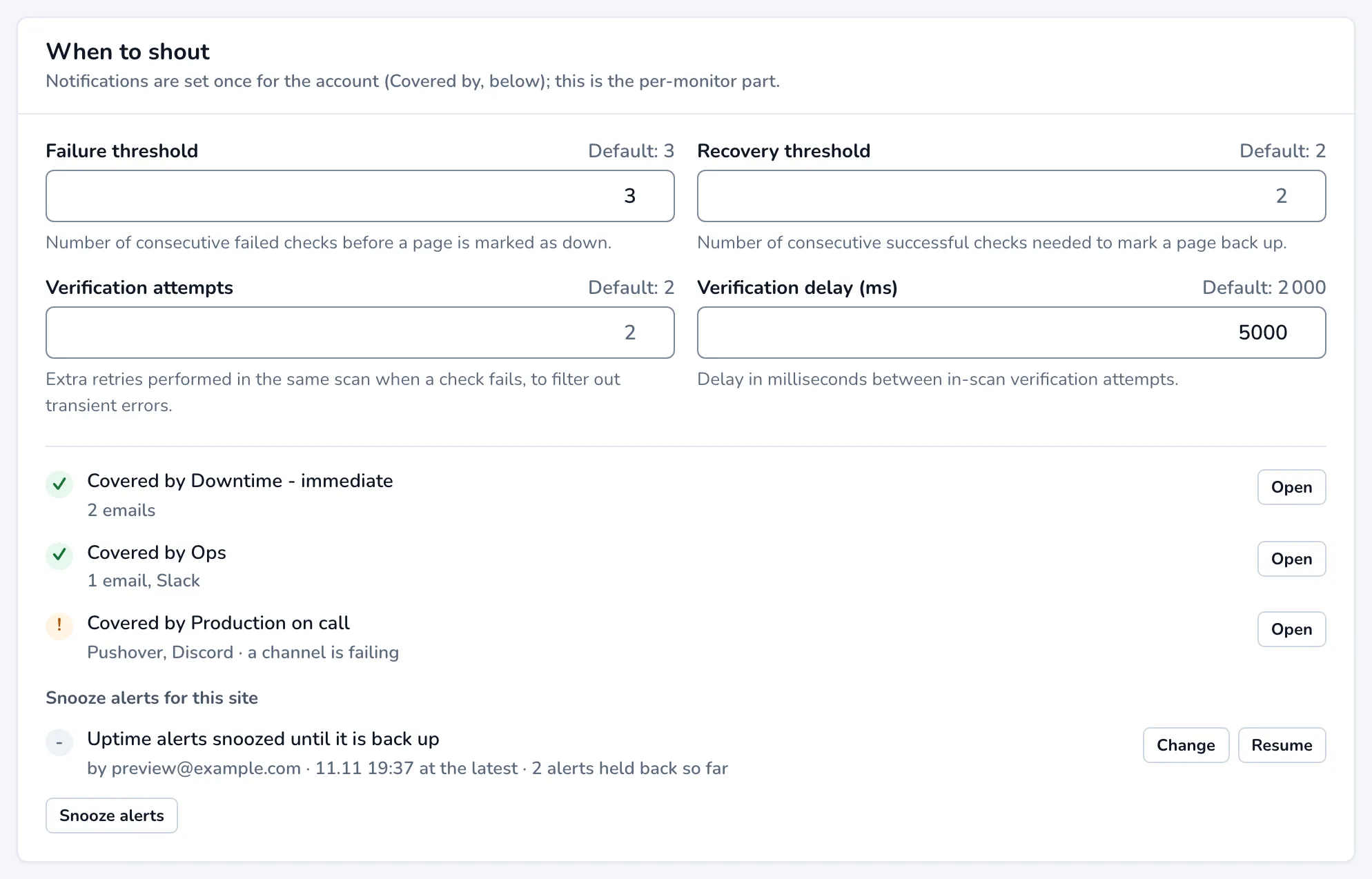
These fields decide when a failure becomes downtime and when a page counts as back up:
| Field | What it does | Default | Allowed |
|---|---|---|---|
| Failure threshold | Consecutive failed checks before a page is marked down. | 3 | 1 to 10 |
| Recovery threshold | Consecutive successful checks before a page is marked up again. | 2 | 1 to 10 |
| Verification attempts | Extra retries in the same check when it fails, to filter out short glitches. | 2 | 0 to 5 |
| Verification delay (ms) | Milliseconds between those retries. | 2000 | 0 to 30000 |
Raise the failure threshold or the verification attempts when a site has short hiccups you don’t want to hear about. Lower them when you want to know about an outage as soon as possible.
Who gets an alert is not set here. Notifications are set once for your account; the list under the fields shows each notification that covers downtime on this site, with its channels and an Open button. If none does, nothing is sent when the site goes down or comes back up. See Notifications.
Under Snooze alerts for this site you can snooze the alerts for a while, change a snooze that runs, or resume alerts. Checks keep running while alerts are snoozed, and everything is still recorded.
Save or reset
Section titled “Save or reset”The bar at the bottom counts your unsaved changes. Click Save changes to save them, or Discard changes to go back to the stored values. A field you leave empty uses its default.
Reset to defaults clears every value on the screen, after you confirm, so the monitor uses the defaults shown beside each field again.