
Share a broken links or media report
You can share a site’s broken links report and its broken media report with anyone, such as a client, a content editor or a developer, without giving them a Scanfully account. Each report gets its own link. Anyone with the link can open the report; turning the link off stops it working.
Share a report
Section titled “Share a report”- Open the site’s Content screen.
- Click Share report.
- In Share the report, turn on Broken links report, Broken media report or both.
- Click Copy link next to the report you want to share, and send the link.
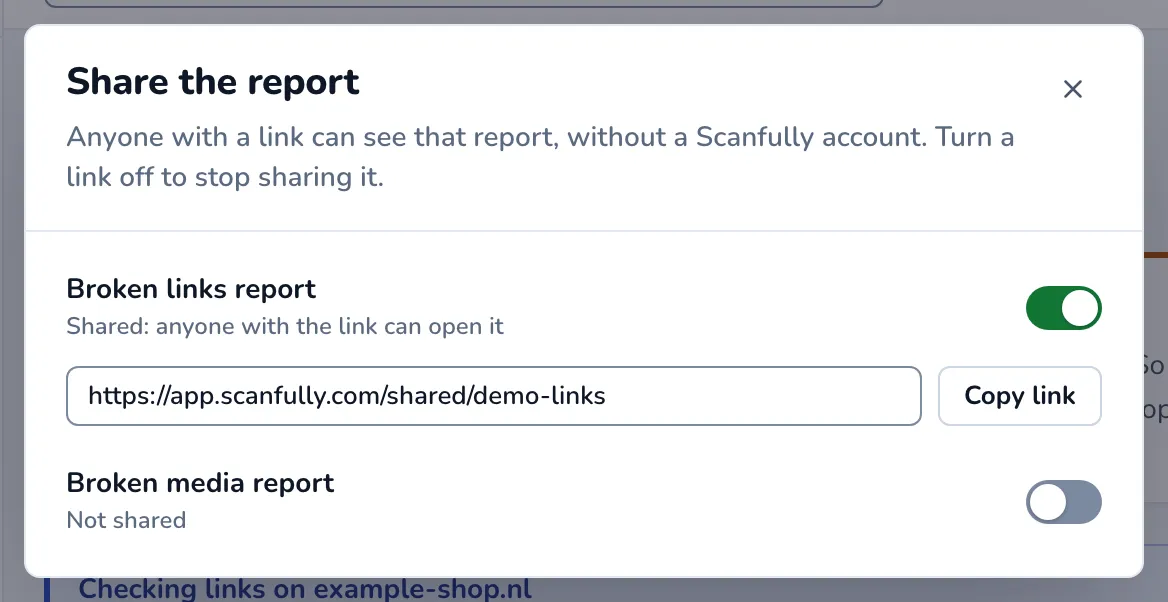
While a report is shared, the dialog says Shared: anyone with the link can open it.
Stop sharing
Section titled “Stop sharing”- Click Share report on the Content screen.
- Turn off the report you no longer want to share. It now says Not shared.
The old link stops working at once. If you turn sharing on again later, the report gets a new link, so the old one stays dead and you need to send the new link.
What the shared report shows
Section titled “What the shared report shows”The person you share it with sees a page with the Scanfully logo, the name and domain of the site, and the report. It always shows the latest results, so you don’t need to share a new link after a crawl. Links and media you added to the known false positives are left out.
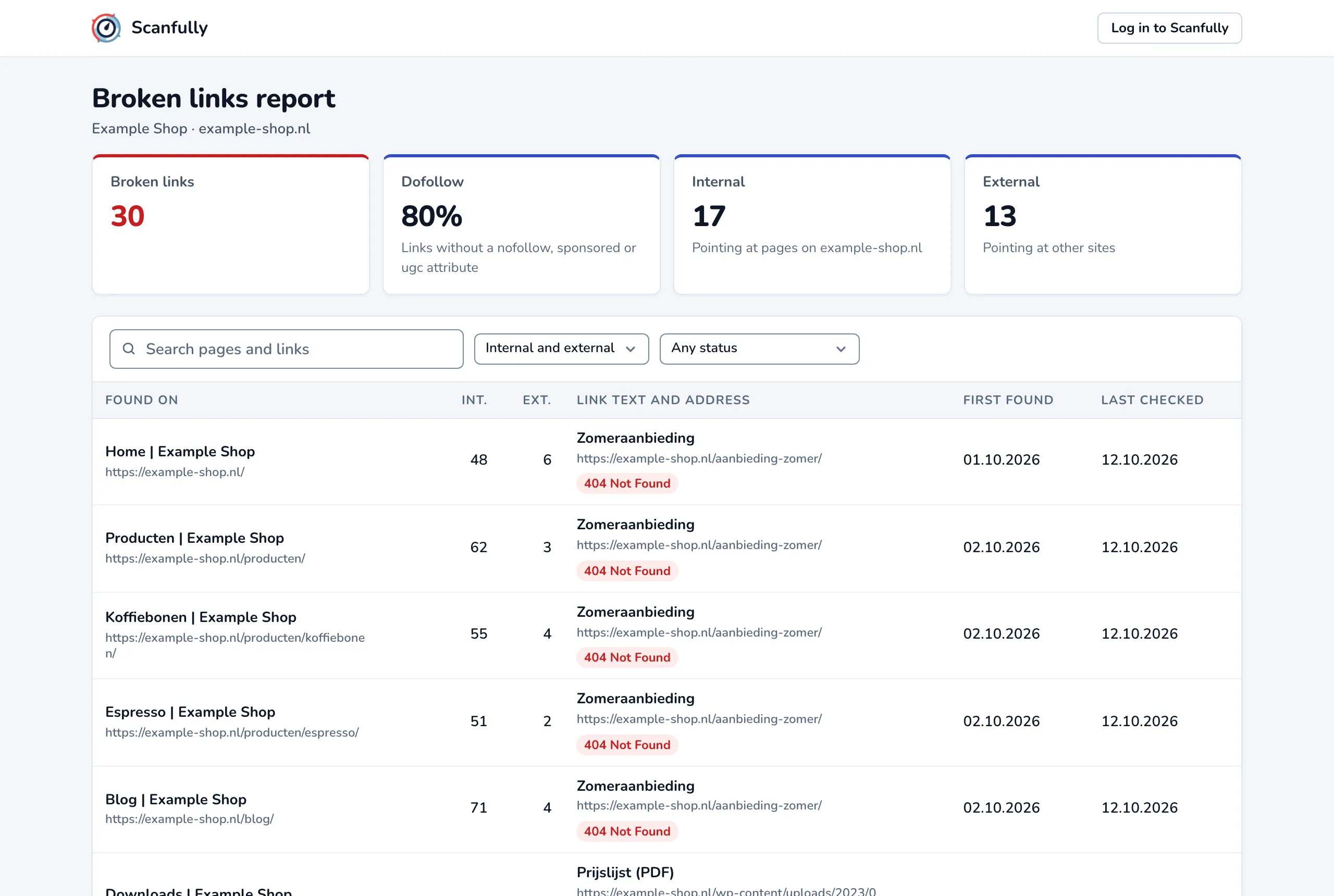
The Broken links report shows:
- Tiles for Broken links, the Dofollow share (links without a
nofollow,sponsoredorugcattribute), Internal links (pointing at pages on the site) and External links (pointing at other sites). - A table with one row per broken link: Found on (the page title and address), Int. and Ext. (the number of internal and external links on that page), Link text and address with the status code, First found and Last checked.
The Broken media report shows:
- Tiles for Broken media, Internal (hosted on the site), External (hosted on other sites) and Most common types.
- A table with Found on, Type (the media type and HTML element), Media URL with the alt text and status code, First found and Last checked.
Unlike the Content screen, a shared report lists every broken reference as its own row and is not grouped by target. Visitors can search the report, filter it by internal or external, by status code and, for media, by media type. The table shows 25 rows at a time.
When the site has nothing broken, the report says No broken links or No broken media. When the link was turned off, or never existed, the page says This report is not available.